

How do I determine which keywords are used to find my apps?
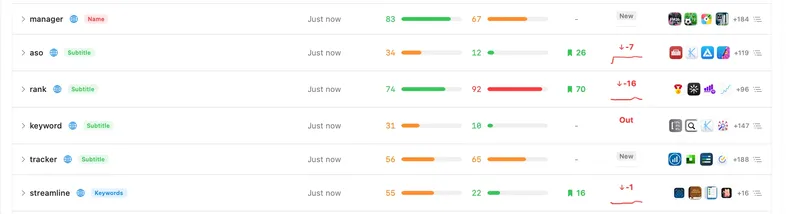
1. App Store Connect Analytics (real user data)
Apple provides a built-in search term report right inside your developer console.
Where to look:
- Go to App Store Connect.
- Go to the App Analytics section → select your app.
- Open the Metrics or Acquisition tab.
- Set the source filter to App Store Search, and group by Search Terms.
What you will see:
- Specific keywords and search terms that users typed into search.
- The number of Impressions, Product Page Views, and installs (App Units) for each search term.
Apple’s limitations:
- Privacy: The report only includes data from users who opted in to “Share Analytics with App Developers” (usually 20–40% of all users).
- Volume threshold: If only 1–2 people found your app via a rare search term, Apple groups it under “Other” to protect user privacy.
2. Running a test campaign in Apple Search Ads (the most accurate method)
If you need to identify 100% accurate keywords with the highest conversion rate, you can use Apple Search Ads.
How it works:
- Create a campaign with Search Match enabled and a small budget ($5–10).
- Apple’s algorithm automatically displays your app for relevant search queries.
- In the Search Ads report, you will see a Search Terms tab with an exact list of keywords that users clicked on and installed the app from.
3. Estimating installs from keyword rankings
The public App Store API does not provide private data on how many people installed an app via a specific keyword. Therefore, ASO tools (including StoreSync, AppTweak, Sensor Tower, etc.) use a mathematical model:
Organic installs ≈ high top rank (positions 1–3) × search volume (popularity)
How installs were estimated using StoreSync:
- The Keywords Performance Analyzer tab shows your exact position (Position) and search volume (Popularity).
- If your app ranks in the top 1–3 positions for a keyword with Popularity > 40–50, that specific keyword generates 70% to 90% of all your organic search installs.
- If you rank in positions 15–20, even for a popular term, the number of installs will be extremely low (less than 2–3%).
Putting it into practice
- Check App Store Connect Analytics to view the top-converting search terms from Apple’s real user statistics.
- Add these search terms to the StoreSync tracker to:
- Track daily rank dynamics (Trend chart).
- Discover untapped markets using Global Market Radar.
- Find alternative competitor keywords using Peep Competitor Keywords.